
New in ZenMaid! You asked, we listened — checklists are now shareable!
Checklists are the backbone of so many cleaning businesses, from training employees to proving value and scope to clients. That's why we made them easy to get in front of anyone.
Every appointment checklist and template now has a Share menu:
-
Copy a link — opens a clean web page with live progress, no login needed. Perfect for sending to clients directly.
-
Print — send it to a printer or save as a PDF. Templates print with empty checkboxes, so you can bring paper copies to the job.
-
Plus, the new appointment_checklist_link wildcard automatically drops the link into any appointment email or SMS.
Live in your ZenMaid account now!
More ways to get paid — plus a quicker way to copy addresses
-
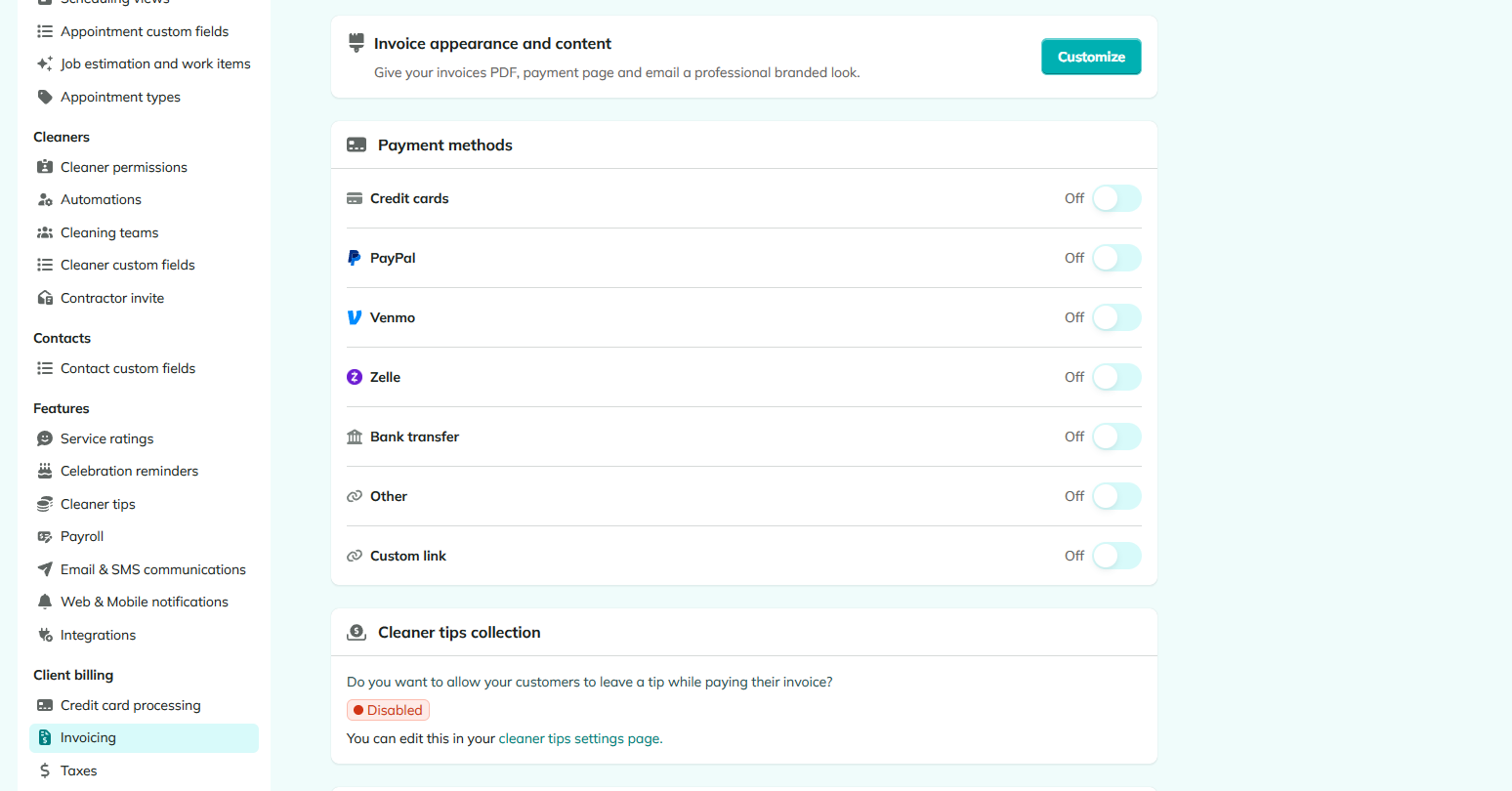
Add Venmo/Zelle/PayPal and a QR code image to your invoices, and copy any service address in one click.
-
Setting up how customers pay you is now much more flexible. Each payment method — credit card, PayPal, Venmo, Zelle, bank transfer, or your own custom option — has its own toggle, so you can show exactly the options you accept.
-
You can now upload a custom image to your invoices, too — perfect for dropping in your Venmo or Zelle QR code so customers can pay by scanning.
-
Every service address in a contact's profile now has a Copy button, right alongside the ones already on the phone and email rows. Handy for quickly pasting an address into maps to estimate travel time between jobs.
Contacts - Copy a service address in one click
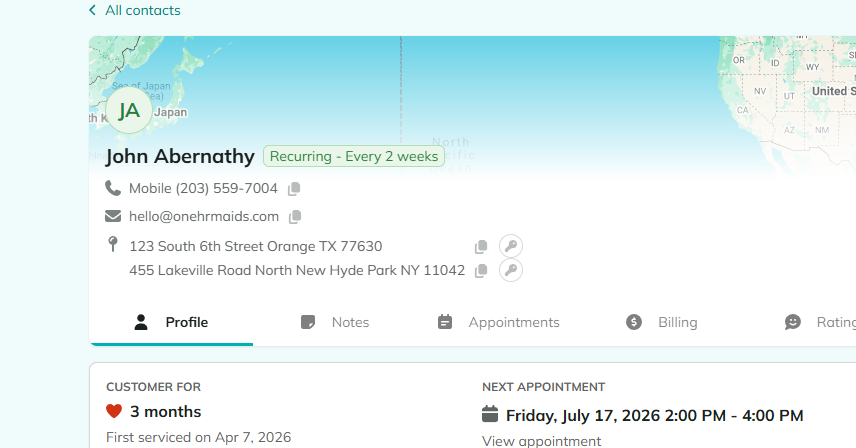
- You can now copy any service address straight from a contact's profile with a single click, just like the phone and email fields already do. Handy for pasting an address into maps to check travel time and distance between jobs. If you need help finding it, contact support, and they'll point you in the right direction.
Mileage - Tracking is now in your exports
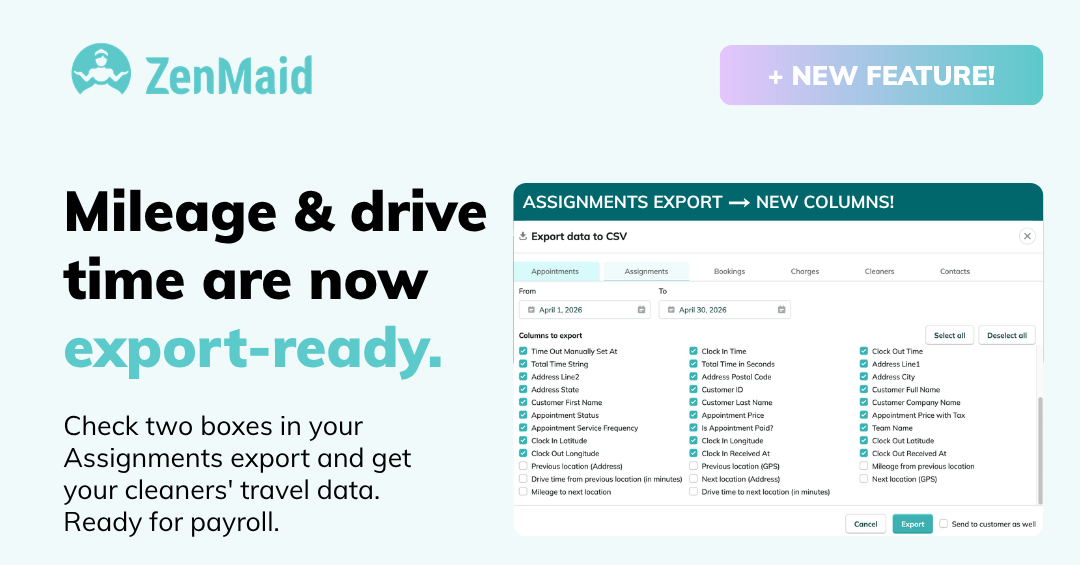
- You can now see mileage in your ZenMaid exports, making it easier to calculate travel reimbursements and pay your team for drive time. This was one of our most requested features. If you need help finding it in your reports, contact support and they'll point you in the right direction.
Cleaner Availability
- Pro Max accounts include the Cleaner Availability feature: set each cleaner's working hours, record time off and vacations, and see who's actually free directly in your calendar — no more blocking time with fake appointments. Learn how to set it up in our help article.
Send a Second Appointment Reminder
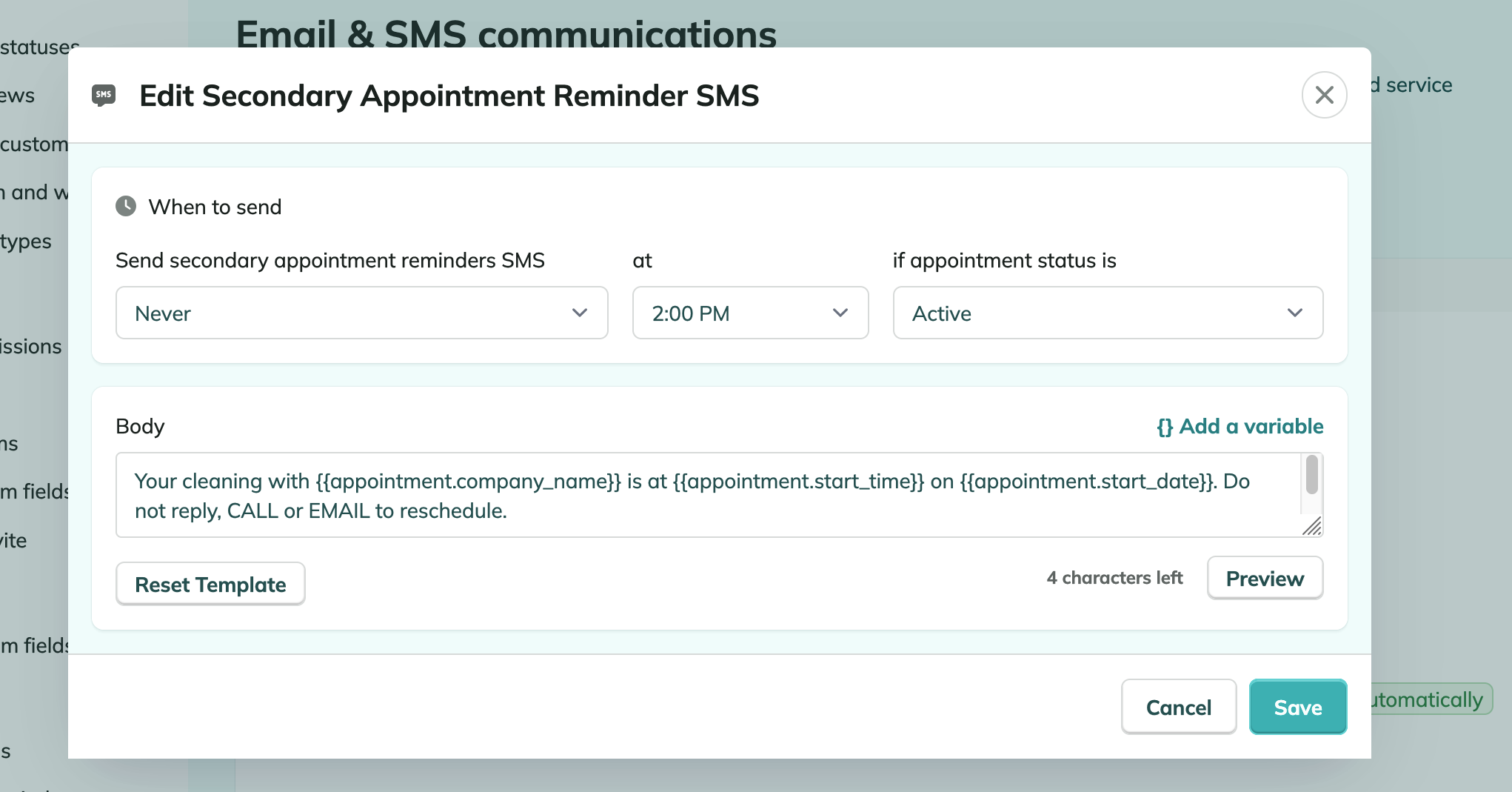
- You can now send more than one Appointment Reminder to your clients. Set up a second reminder template — by email or SMS — so clients get, for example, a heads-up a few days out and another the day before. Great for reducing no-shows and last-minute reschedules. You'll find the new template alongside your existing reminder settings.
Export your bookings data for any date range
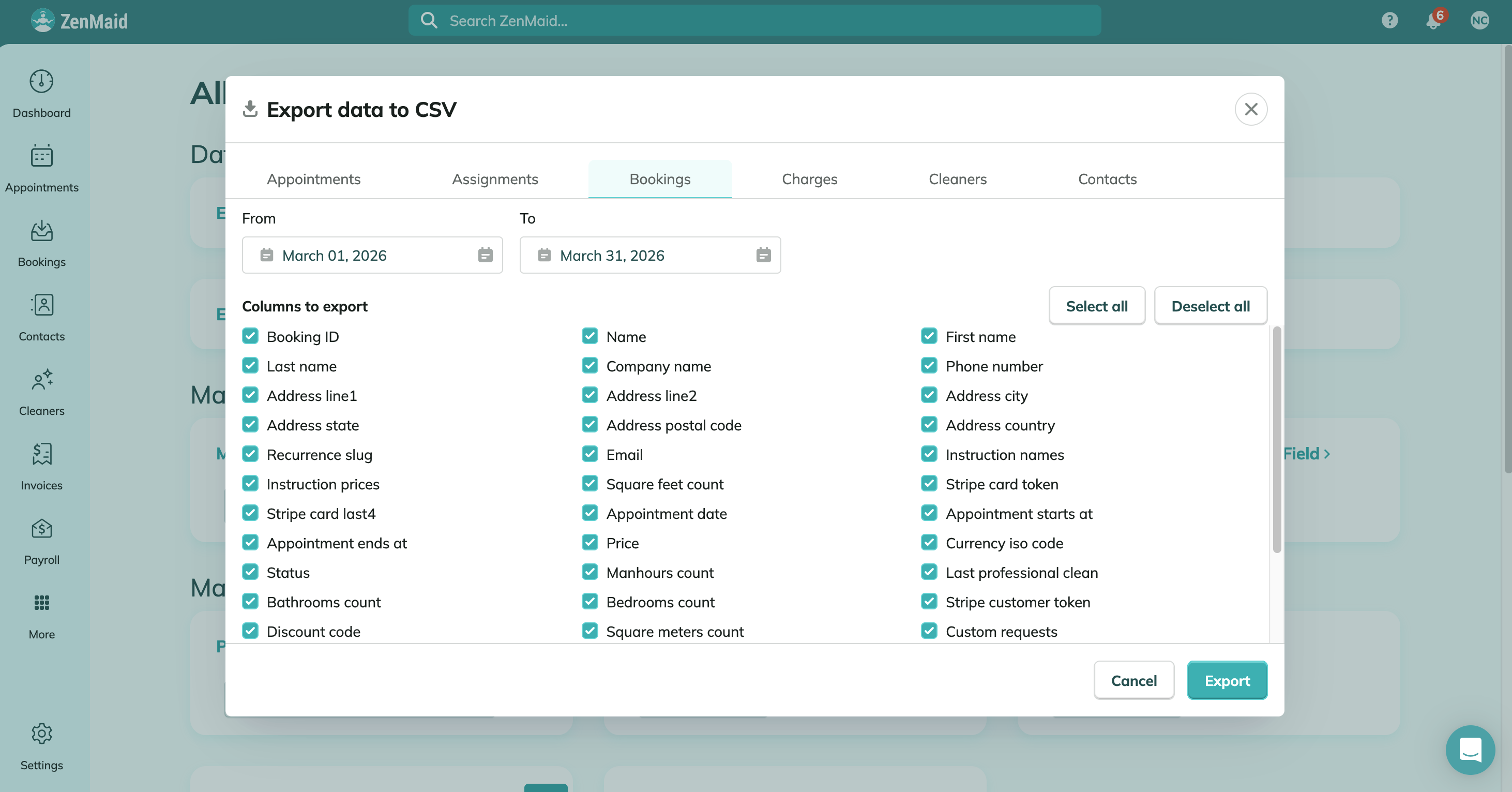
What's new:
-
You can now export all your booking form submissions for any date range, straight from your account. Head to the Export tab, pick the new Bookings option, set your dates, and download.
-
Use it to spot your busy seasons, compare year over year, pull numbers into your own spreadsheets, or keep a backup outside the app. Available on Pro Max.
Collect Google and Yelp reviews with Service Rating follow-ups
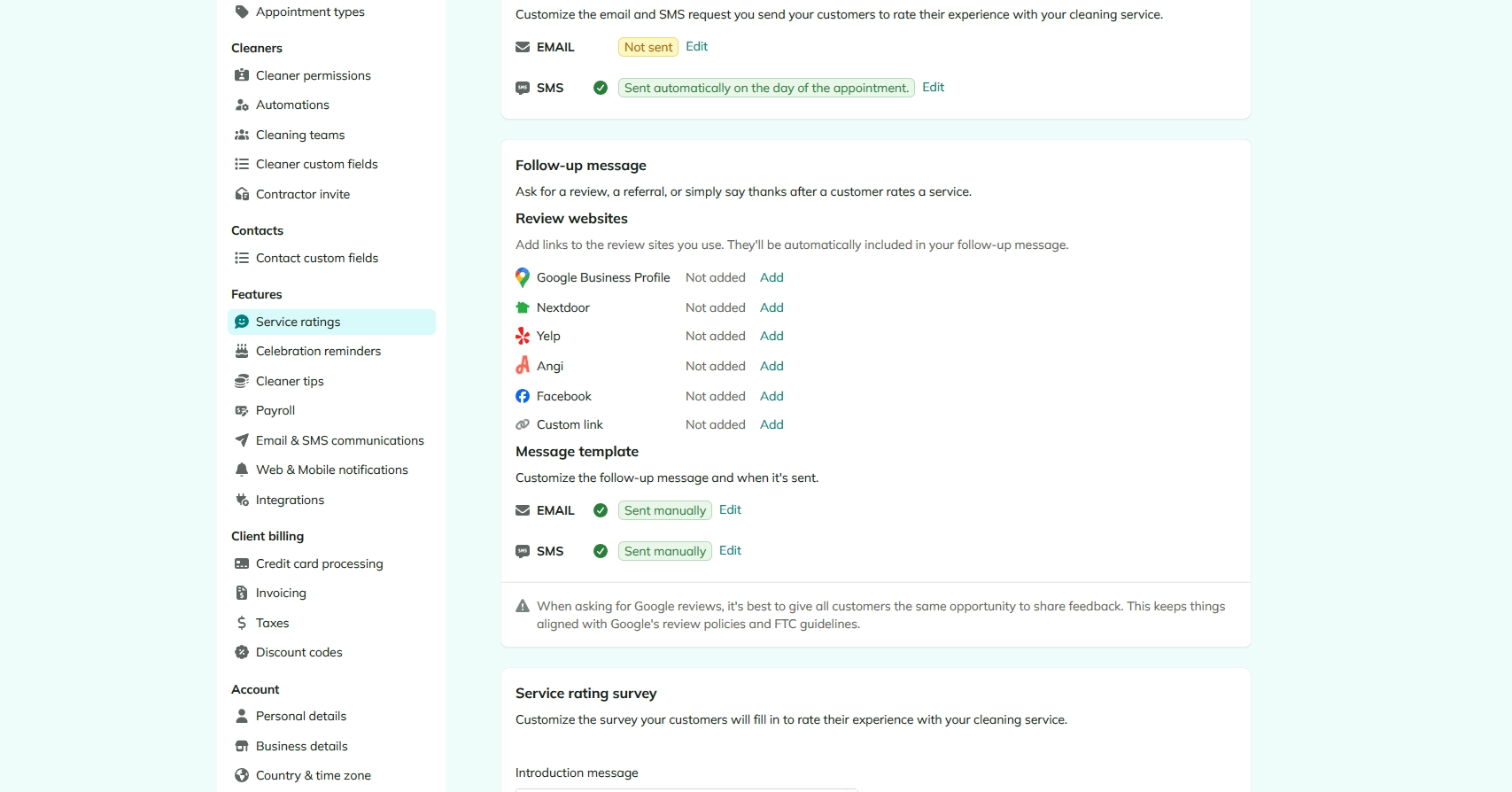
After a client leaves you a great service rating, ZenMaid can now automatically follow up and invite them to share it publicly — on Google, Yelp, or other review sites. Good reviews are one of the biggest growth drivers for maid services, and this puts the ask on autopilot right when clients are happiest. Set it up in your communication settings alongside your Service Rating template.
SMS consent and compliance for Booking Forms
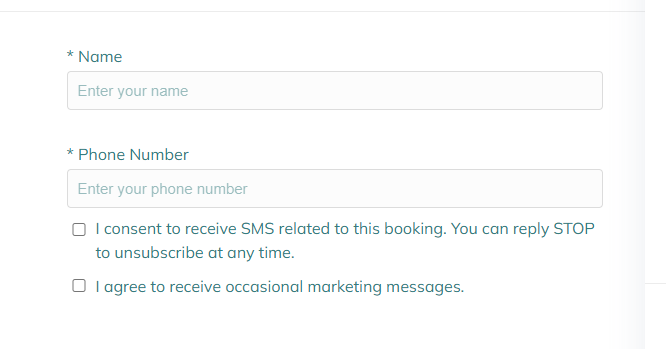
Your booking forms are now fully compliant with US SMS regulations (10DLC/A2P), with no setup required.
What's new:-
Booking forms now include two consent checkboxes on the phone number field: one for booking-related SMS (with reply STOP to unsubscribe) and one for occasional marketing messages.
-
Consent is stored with each booking and passed along to Zapier, so you stay compliant in your other tools, too.
Client Contracts & Terms of Service Forms
- Built-in Contract & Terms Templates: We’ve added a brand-new template section dedicated to Contracts and Terms & Conditions. Customize them with your own policies, guidelines, and branding.