
More ways to get paid — plus a quicker way to copy addresses

What's new:
-
Add Venmo/Zelle/PayPal and a QR code image to your invoices, and copy any service address in one click.
-
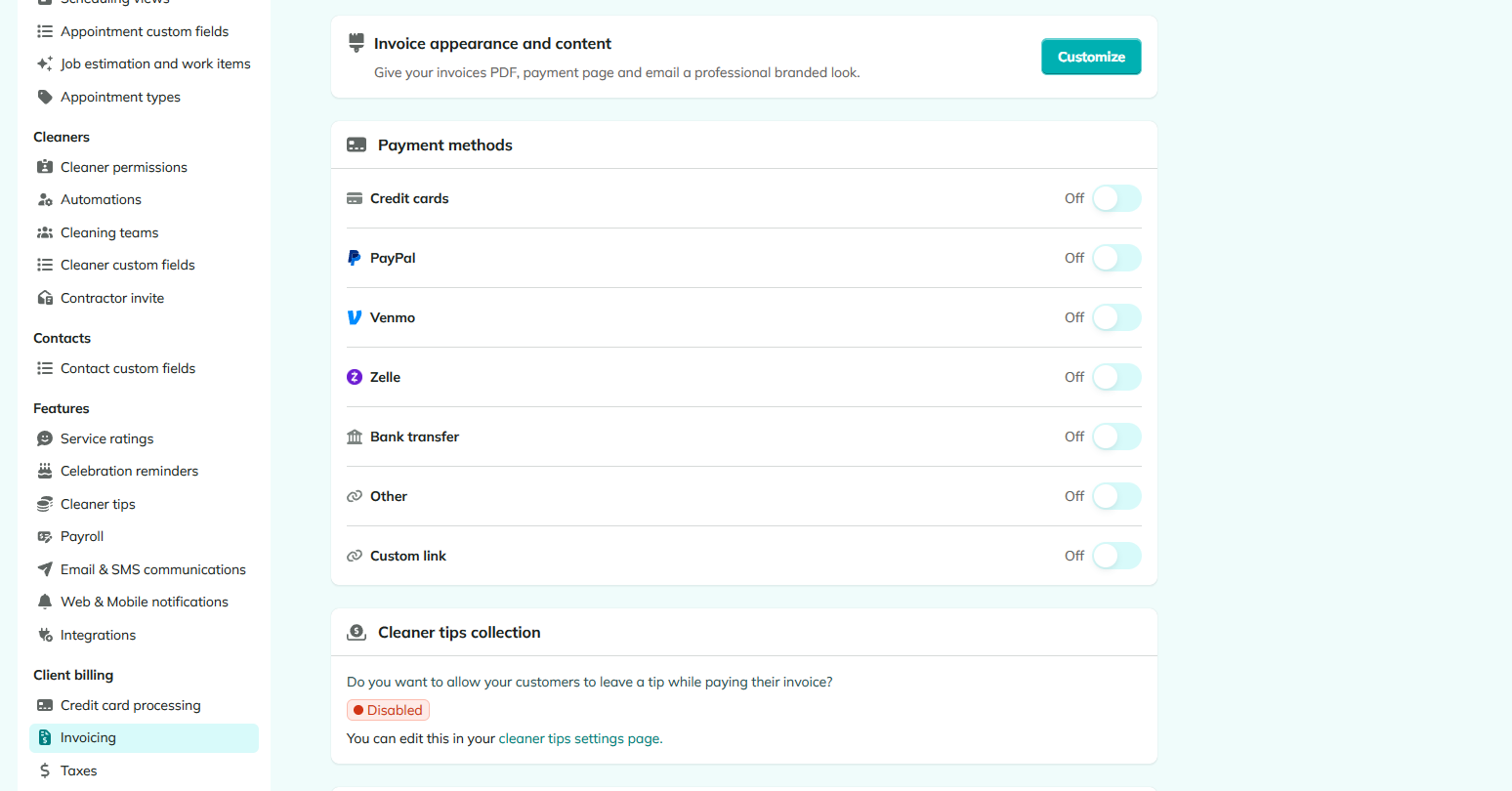
Setting up how customers pay you is now much more flexible. Each payment method — credit card, PayPal, Venmo, Zelle, bank transfer, or your own custom option — has its own toggle, so you can show exactly the options you accept.
-
You can now upload a custom image to your invoices, too — perfect for dropping in your Venmo or Zelle QR code so customers can pay by scanning.
-
Every service address in a contact's profile now has a Copy button, right alongside the ones already on the phone and email rows. Handy for quickly pasting an address into maps to estimate travel time between jobs.